Hints
New players get a gentle nudge: a tip at the start, and apples that glow and wiggle when they get stuck.
At a glance
- First 3 games
- the tip Pairs first! before the start
- Wiggle
- after 4 seconds without a move, apples that make 10 glow and wiggle
- When
- while your rating is under 1100, and always in Zen
- Turn off
- Settings → Hints
Step by step
-
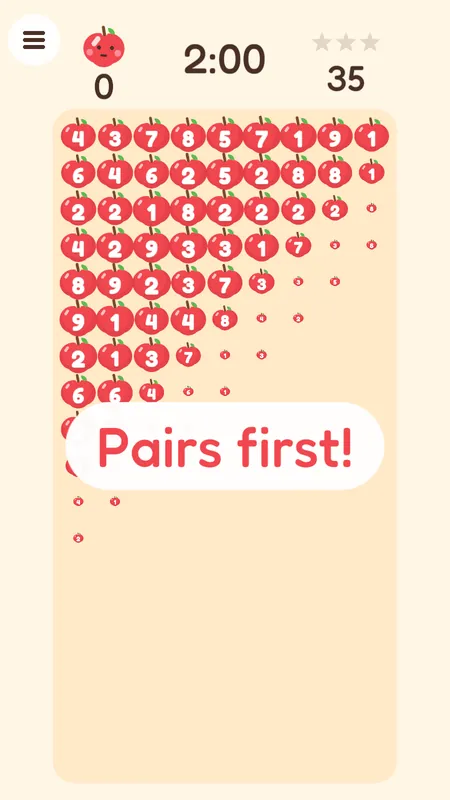
Pairs first!
Your first three games start with this tip. Pairs of two apples are the safest way to begin.
-
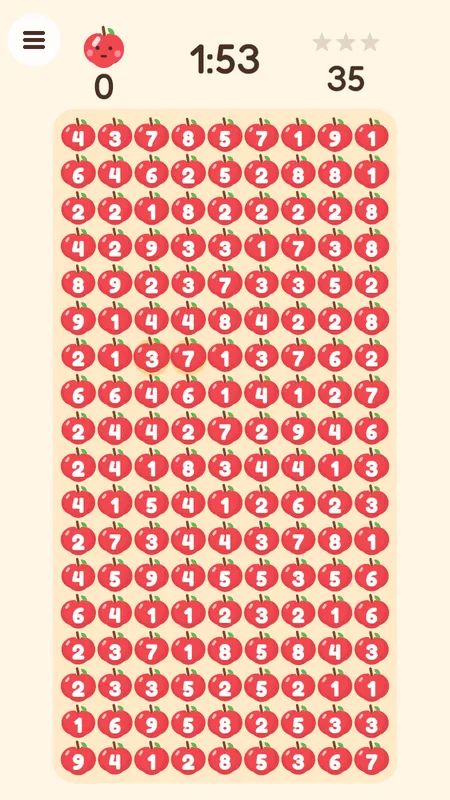
Apples wiggle
Stop for 4 seconds and apples that make 10 glow and gently wiggle — here the 3 and the 7. Drag a box over them.
Rules
- Hints are for learning. They stop once your rating reaches 1100, except in Zen.
- A hint never pops apples for you — you still draw the box.
Questions
How do I turn hints off?
Open the menu, then Settings, and switch Hints off.